Guidelines:
- Every worksheet has a heading
- All worksheet headings have the same style
A heading supplies guidance to the user about the worksheet's purpose and how it fits into the workbook's modular structure.
Location of worksheet headings
A worksheet heading will usually be in cell A1 and have a large font, but other locations or styles may be acceptable.
Consider using the built-in "Heading 1" style, then using it only for the worksheet headings.
It might also be worthwhile changing your default worksheet template so that cell A1 is automatically formatted as "Heading 1" style. Similarly, change the default new worksheet template to apply the same style.
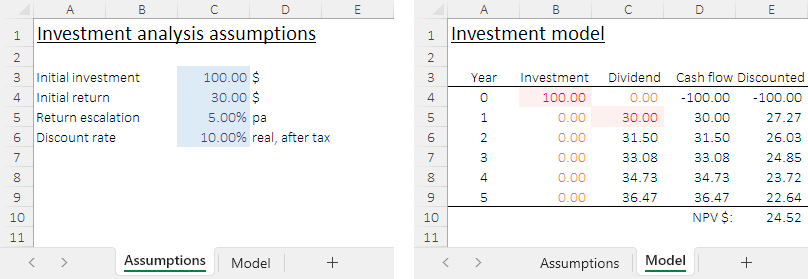
Example of worksheet headings
This example shows two worksheets of a workbook. The headings of each worksheet are in the same position, cell A1, and have the same style.