26 June 2017
When using the VLOOKUP formula in Excel, sometimes you may end up with the ugly #N/A error. This happens when your formula can not find the lookup value.
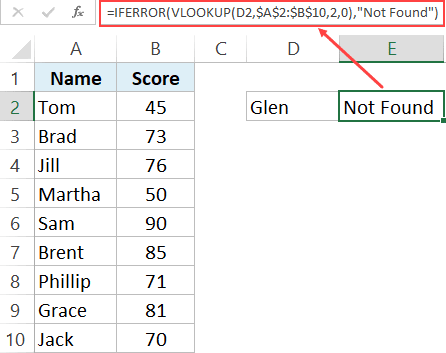
In this tutorial, I will show you different ways to use IFERROR with VLOOKUP to handle these #N/A errors cropping up in your worksheet.
Using the combination of IFERROR with VLOOKUP allows you to show something meaningful in place of the #N/A error (or any other error for that matter).
Full article: Use IFERROR with VLOOKUP to get rid of #N/A errors