15 August 2015
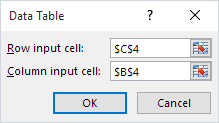
This article illustrates how to use Excel's Data Table tool to do scenario analysis.
A data table is a range that evaluates changing variables in a single formula. In other words, it's a simple what-if analysis. It works similarly to Goal Seek and Scenario Manager. You can use table values to replace variables in a formula or function. In this way, you can view what-if results without changing the original formula's references.
Full article: How to use Excel's Data Table analysis tool