18 November 2017
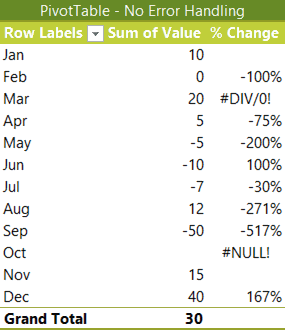
Obviously, we don't want our PivotTables littered with #DIV/0! and #NULL! errors if we're presenting them in a report. That would just create unnecessary questions and we're busy enough.
Thankfully Excel PivotTable error handling is easy to control via the PivotTable Options. This article shows you how.
As a bonus, this article also discusses what to display when the prior period was zero. Specifically, is the percentage change from nothing to something equal to 100%?
Full article: Excel PivotTable error handling