21 September 2017
When it comes to VBA, it's almost too easy to make a mistake. These mistakes can cost you greatly, both in time and in frustration.
In this post, I'd like to help you avoid these typical mistakes and make you a better VBA programmer:
- Using
.Select/.Activate. - Using the
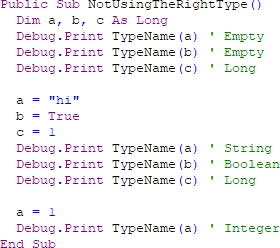
Varianttype. - Not using
Application.ScreenUpdating = False. - Referencing the worksheet name with a string.
- Not fully qualifying your range references.
- Making your
Sub/FunctionTOO LONG. - Going down the nested
For/Ifrabbit hole.
Full article: 7 common VBA mistakes to avoid